Nudging staff who haven't finished
Resend an invite, send a friendly reminder with a note of your own, and keep track of who's been nudged. On every plan.
4 min read
Most people mean to finish their practice. Life and rosters get in the way. Your Team dashboard now has two gentle nudges built in: Resend invite for people who haven't signed in yet, and Send reminder for people who have signed in but still have practice to finish.
Both are on every plan. On PracticeLab Pro you can also remind several people at once.
First, which nudge?
Look at the Status column in your staff table:
- Invited (amber): they haven't signed in yet. Use Resend invite.
- Active (green): they've signed in. If their progress isn't finished, use Send reminder.
Resend an invite
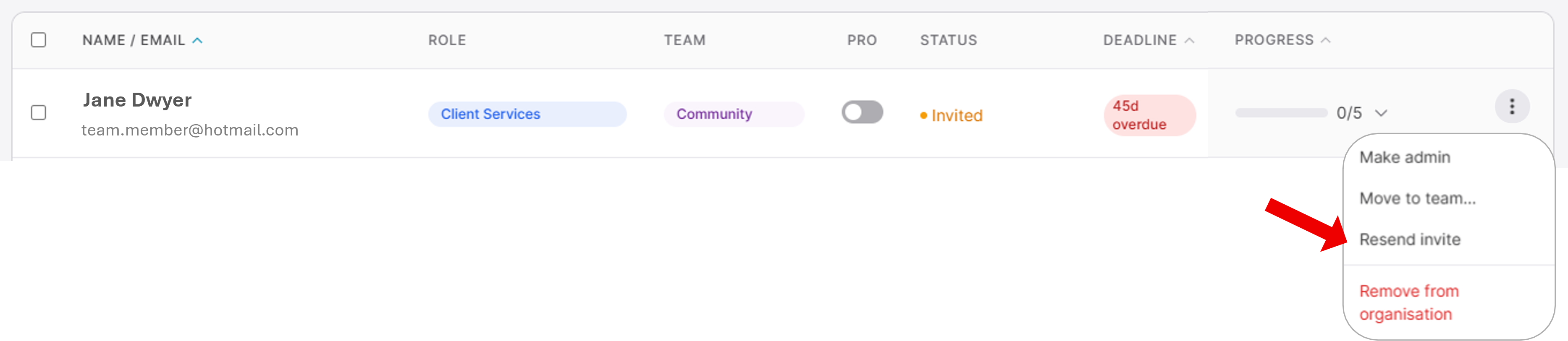
- Find the person in your staff table. Their status says Invited.
- Click the ⋮ at the end of their row.
- Choose Resend invite.
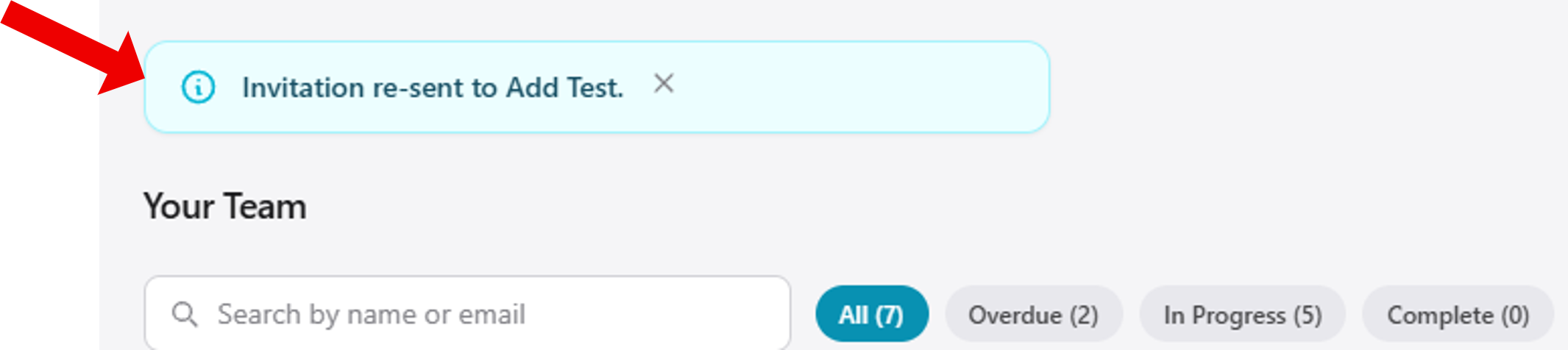
You'll see "Invitation re-sent to …" at the top of the table. Each resend carries a fresh link. If they have several invite emails, the newest is the one to use.
If the invite still hasn't arrived
Invite emails come from noreply@goodpracticehub.com. Some workplace email systems, especially Microsoft 365, hold emails from a new sender in Junk or in "quarantine". Quarantine is a holding area that only your IT person can see.
The quickest way round it: your staff member goes to goodpracticehub.com, clicks sign in, and uses their work email. Their place in your team is already waiting for them, so the invite email isn't needed. The sign-in code arrives by email in the same way, and if it doesn't, their Junk folder is the first place to look.
For future emails, ask whoever looks after your IT to add goodpracticehub.com as a safe sender.
Send a reminder to one person
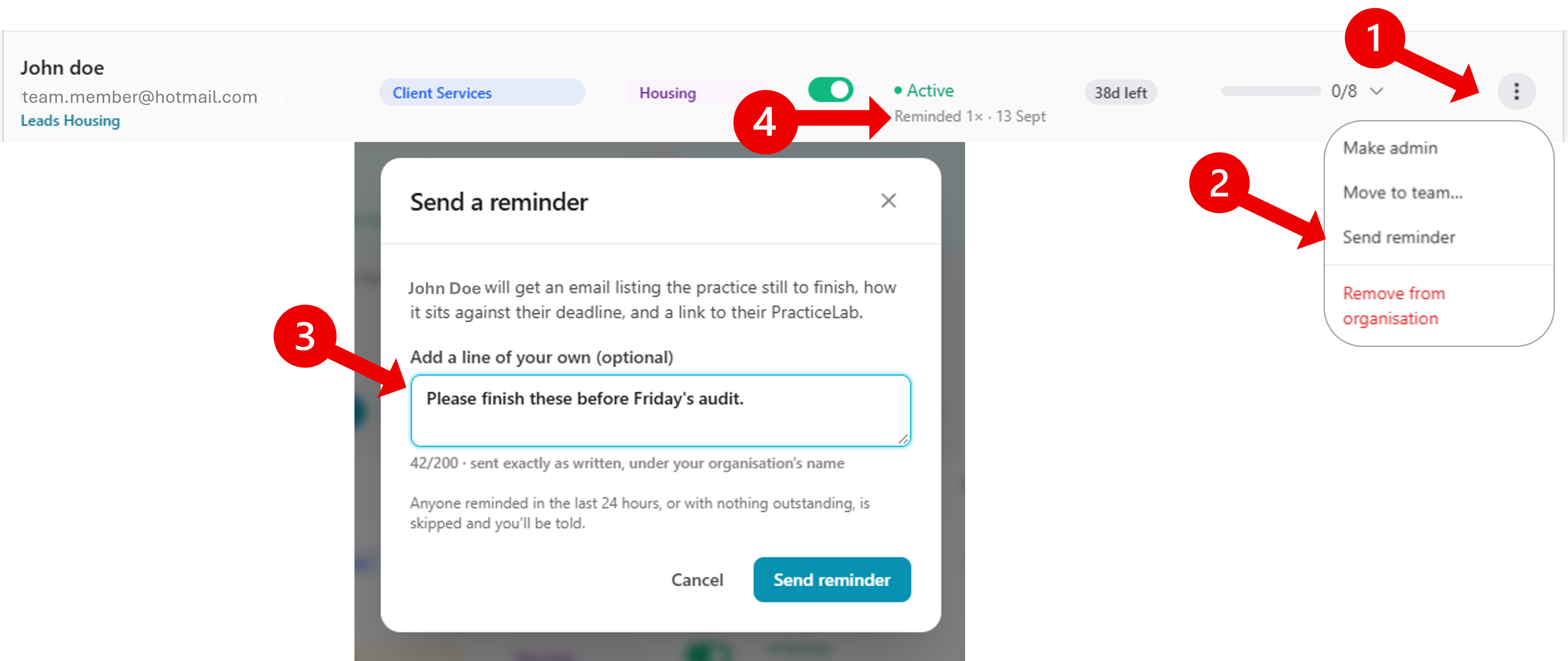
- Click the ⋮ at the end of their row.
- Choose Send reminder. (It only shows for people who are Active and have practice still to finish.)
- Add a line of your own if you like, for example "Please finish these before Friday's audit visit." It's optional, up to 200 characters, and sent exactly as you write it, under your organisation's name.
- Click Send reminder.
What your staff member receives
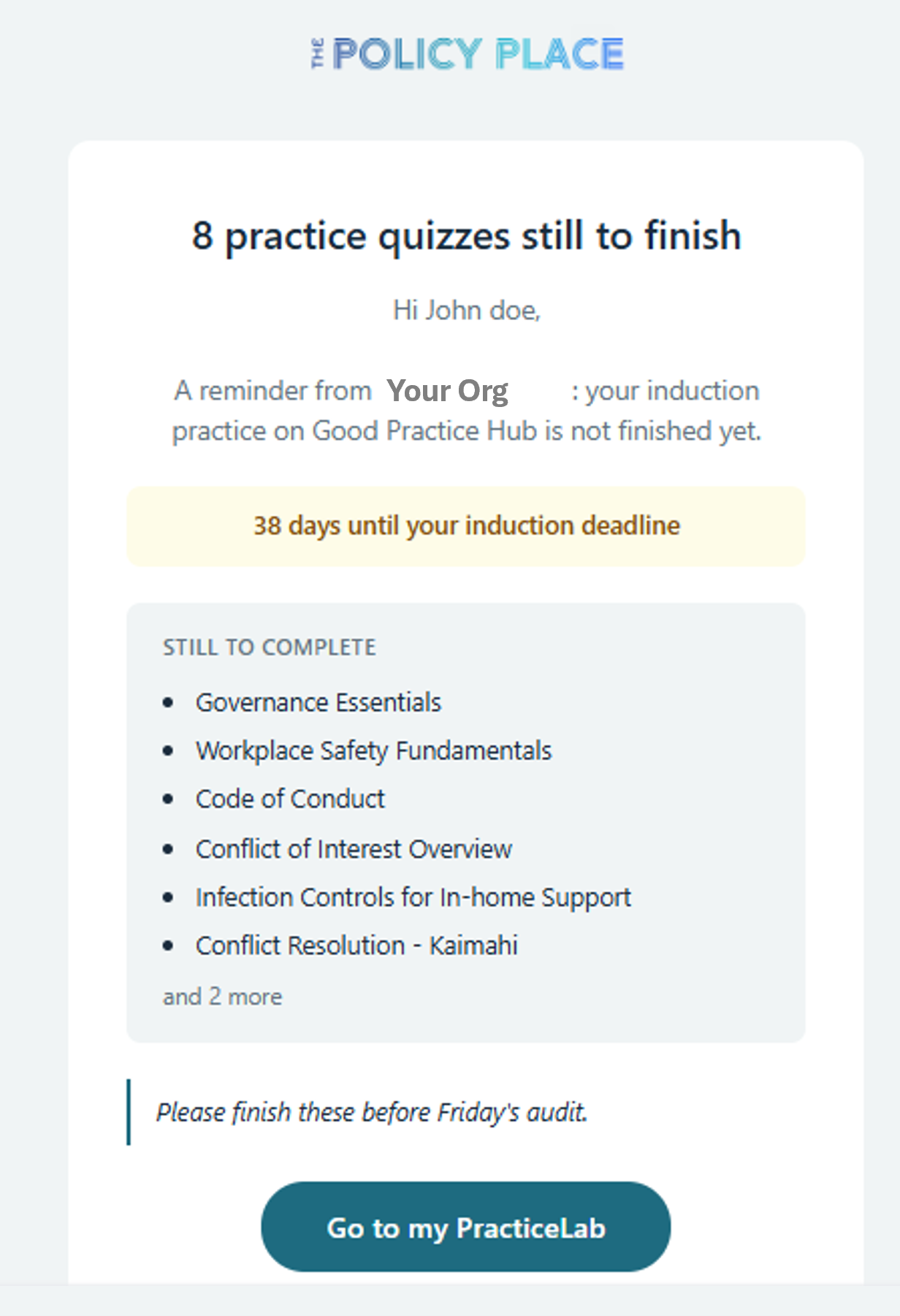
A short, friendly email from your organisation that:
- Lists the practice they still have to finish
- Says how it sits against their deadline, for example "3 days until your induction deadline"
- Includes your note, if you added one
- Has a button straight into their PracticeLab
Keeping track
Once someone's been reminded, their row shows it under their status, for example Reminded 2× · 3 Sep. Hover over it for the detail.
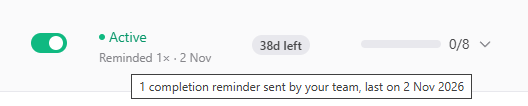
There's no limit on reminders, but the same person can't be reminded twice within 24 hours. From the third reminder on, the box suggests a conversation might land better than another email. Usually it does.
Remind a group at once (PracticeLab Pro)
- Tick the people you want to remind, using the boxes at the start of each row. If you use Teams, pick a team from the Team filter, then click **Select all N in *Team***.
- A bar appears above the table. Click Send reminder.
- Add your note if you like, then click Send N reminders.
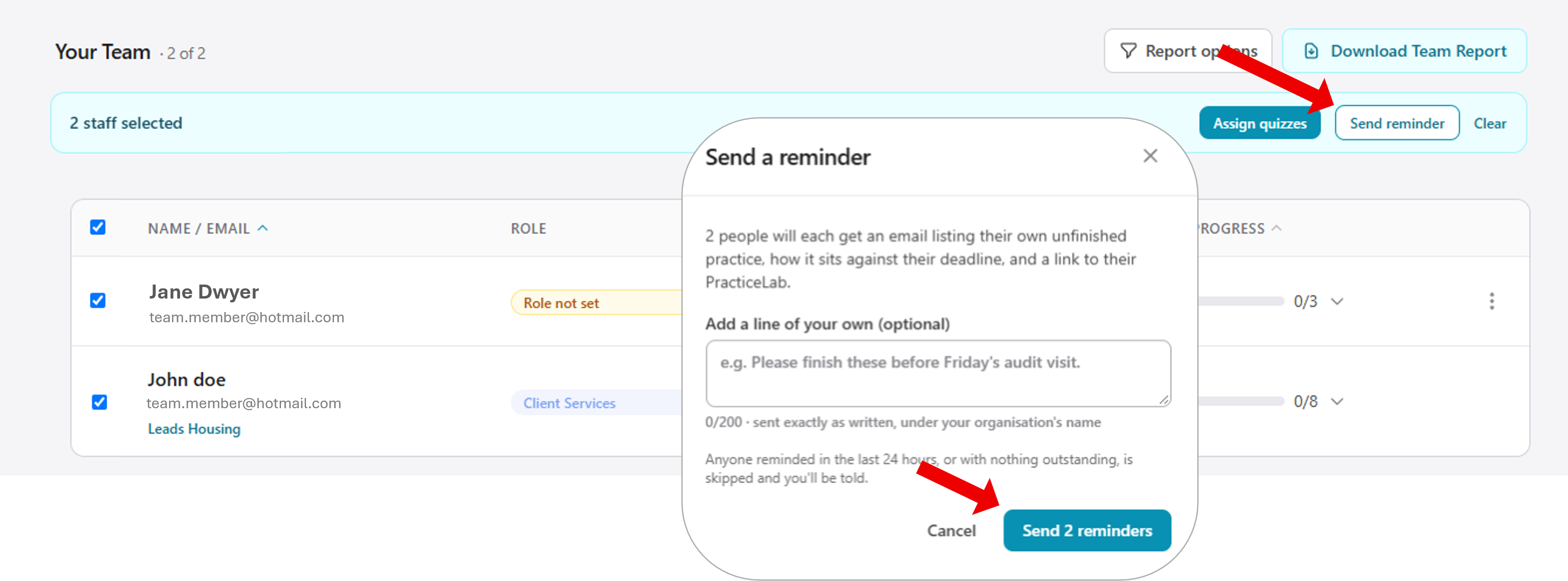
Each person gets their own list. Nobody sees anyone else's progress.
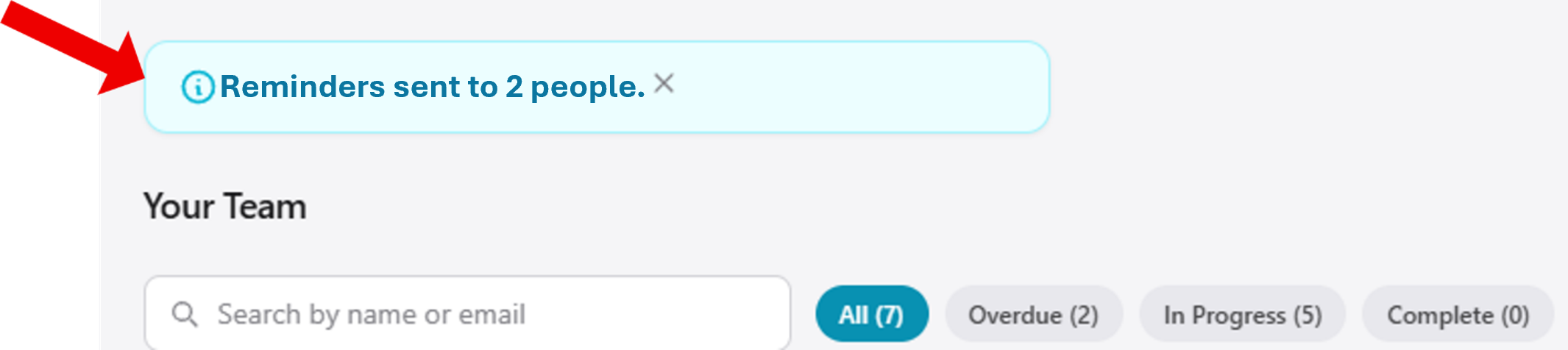
When it's done, a message tells you who was reminded and who was skipped, and why:
- has not signed in yet — use Resend invite
- nothing outstanding: they've already finished
- reminded in the last 24 hours
Common gotchas
"There's no Send reminder in the ⋮ menu." Either they haven't signed in yet (use Resend invite), or they've finished everything they've been given. Nice problem to have.
"The Send reminder button in the bar is greyed out." None of the people you've ticked have practice outstanding.
"Do reminders go out automatically?" Just one. New starters get a single automatic heads-up about three days before their induction deadline. Every other reminder is sent by you, when you decide. We don't nag your people on your behalf.